Design scope
Playlist metadata does not always include the fields a DJ library needs.
cratemind is designed for playlists whose available metadata does not provide the tempo, key, or organization fields needed for a DJ-library workflow.
Case study / local-first audio tooling
A local workflow for downloading Spotify playlists, estimating BPM, Camelot key, and genre labels from audio, then organizing tracks into configurable DJ-library folders.
Scope
Independent projectLocal-first workflow, web interface, analysis pipeline, and release tooling.Constraint
Local processing without an account or hosted analysis service.Audio analysis, resumable progress, and crate output stay in a local workflow.Public artifacts
Source, releases, and CIRepository ↗ · releases ↗ · workflows ↗Workflow
Start from a Spotify playlist and choose an output format and destination.
Process audio locally for tempo, Camelot key, and genre signals.
Preview, resume, and place tracks into configurable folders for a usable library.
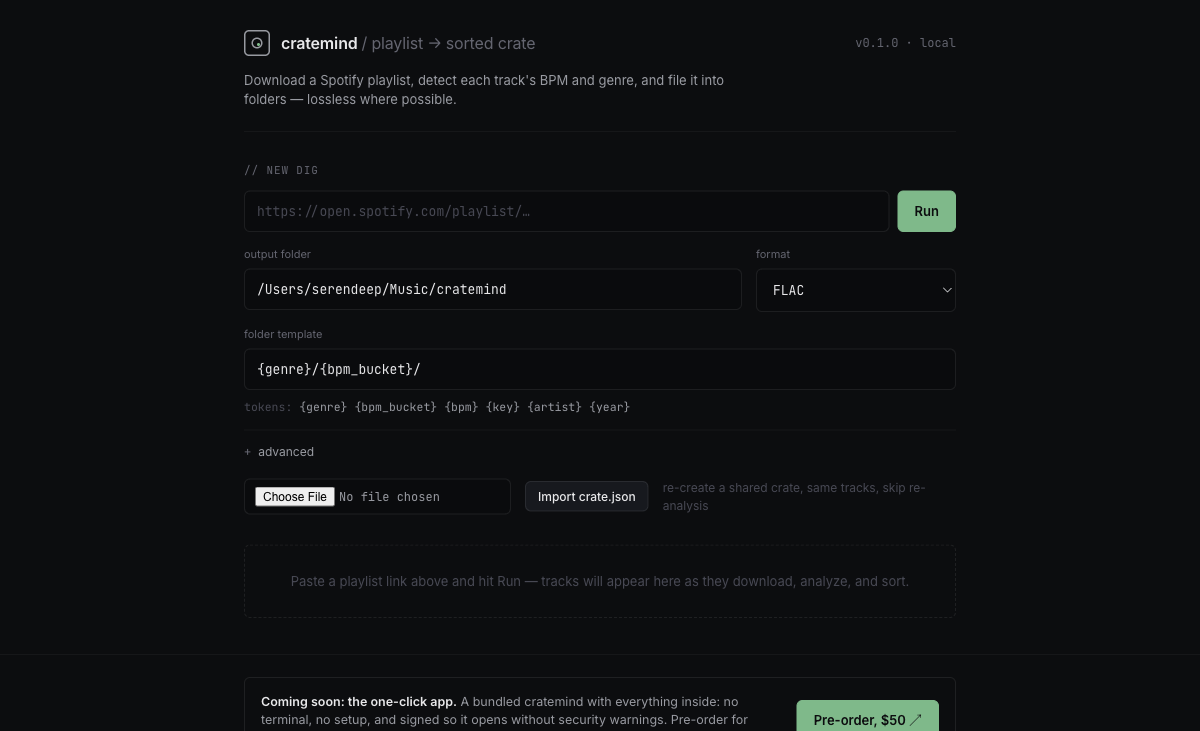
Playlist input and local analysis settings from the public project interface.
Design scope
cratemind is designed for playlists whose available metadata does not provide the tempo, key, or organization fields needed for a DJ-library workflow.
Project links and implementation details
The repository has tagged releases, CI workflows, release automation, and tests for analysis, downloading, pipeline behavior, and web flows.
Technical choices
Python 3.11–3.12 coordinates a FastAPI/Uvicorn web layer with Pydantic, Mutagen, and HTTPX. Optional local analysis uses Librosa, NumPy, SoundFile, and ONNX Runtime; spotdl is invoked externally to avoid dependency conflicts.